The centralized Pickup Schedule allows you to define location-wide readiness defaults and operational closures for all your carriers in techSHIP. Configuring these operational parameters ensures your system accurately estimates when packages actually leave the facility.
This guide covers how to enable the module, configure your general readiness timeframes, and manage facility holidays.
 | For detailed conceptual information on how these settings affect induction estimates, refer to Understanding the Centralized Pickup Schedule & Expected Induction Logic [Information]. | |
| | ||
TABLE OF CONTENTS
- Enabling the Pickup Schedule Module
- Accessing the Pickup Schedule
- Configuring General Settings
- Managing Facility Holidays
- Using the AI Assistant for Holidays
Enabling the Pickup Schedule Module
Before utilizing the centralized pickup calendar, you must enable the core functionality at the facility level:
| Enabling this feature requires specific administrator permissions. To verify your current access level, refer to techSHIP User Permissions Structure [Information]. | |
| | ||
 | Navigate to the My Location page. |
 | Check the Use Pickup Module configuration box. |
 | Click Save. |
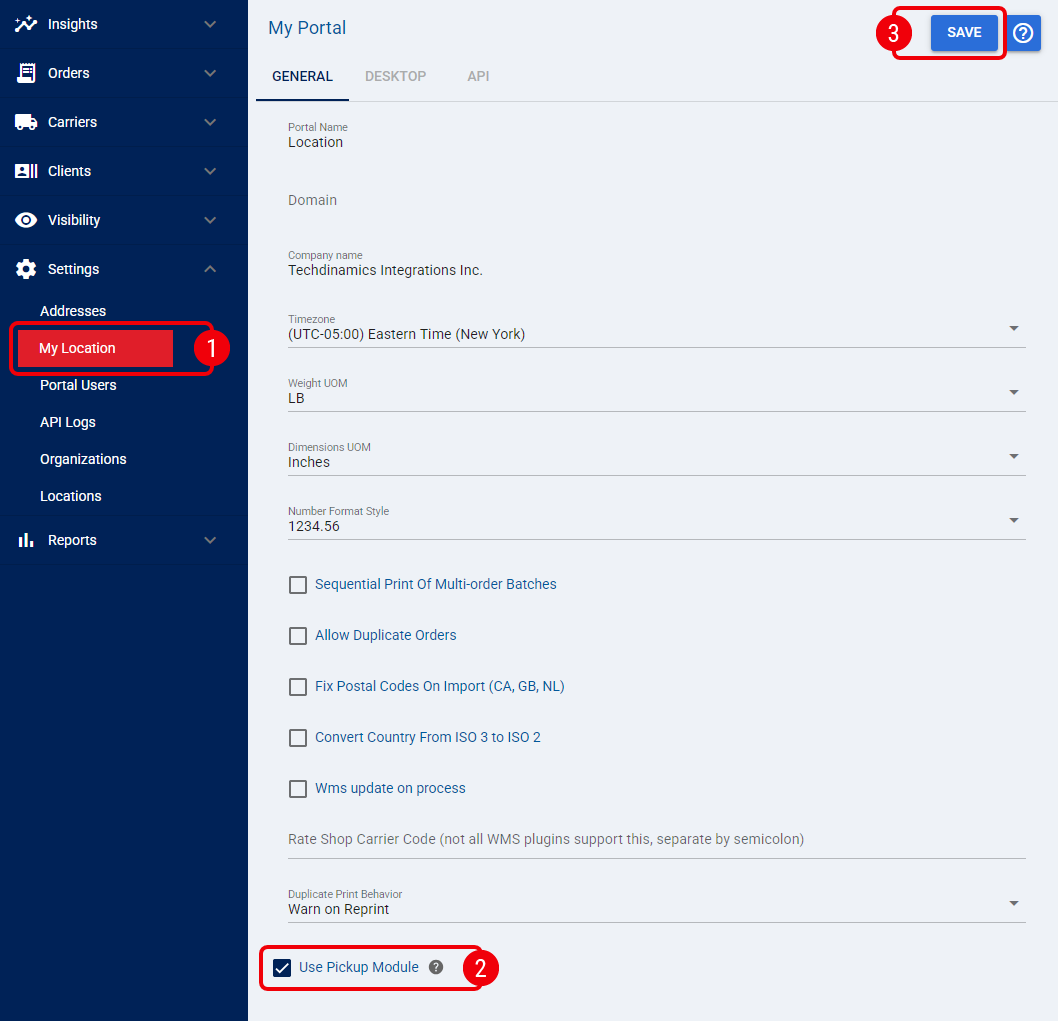
Once activated, techSHIP assumes absolute control over your carrier induction logic, shifting the source of truth from individual carrier plugins to your warehouse's internal operational schema.
Accessing the Pickup Schedule
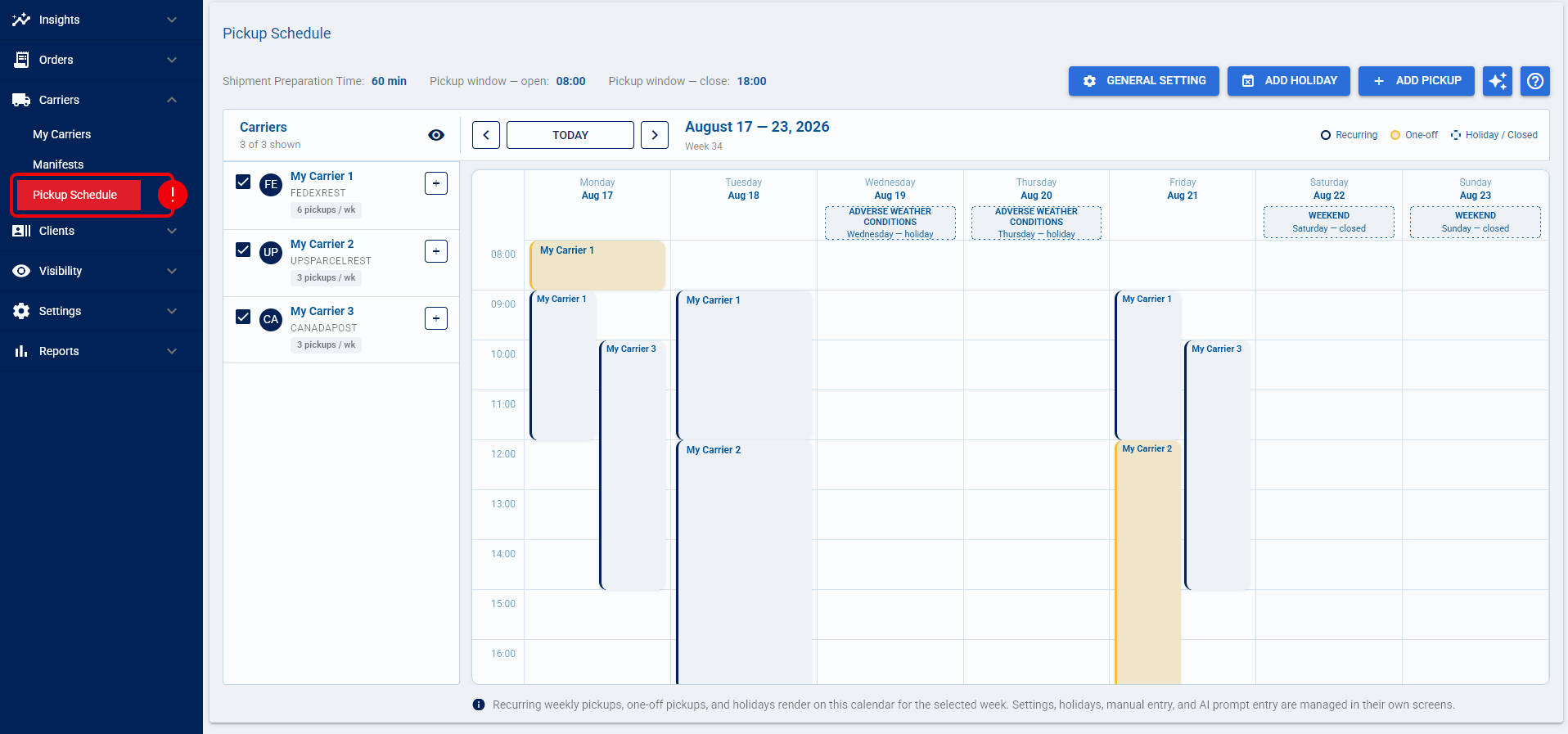
To configure your general settings and manage holidays, you must first access the centralized calendar by navigating to the Carriers menu and selecting Pickup Schedule.
Configuring General Settings
To configure the default readiness and operational hours for your facility:
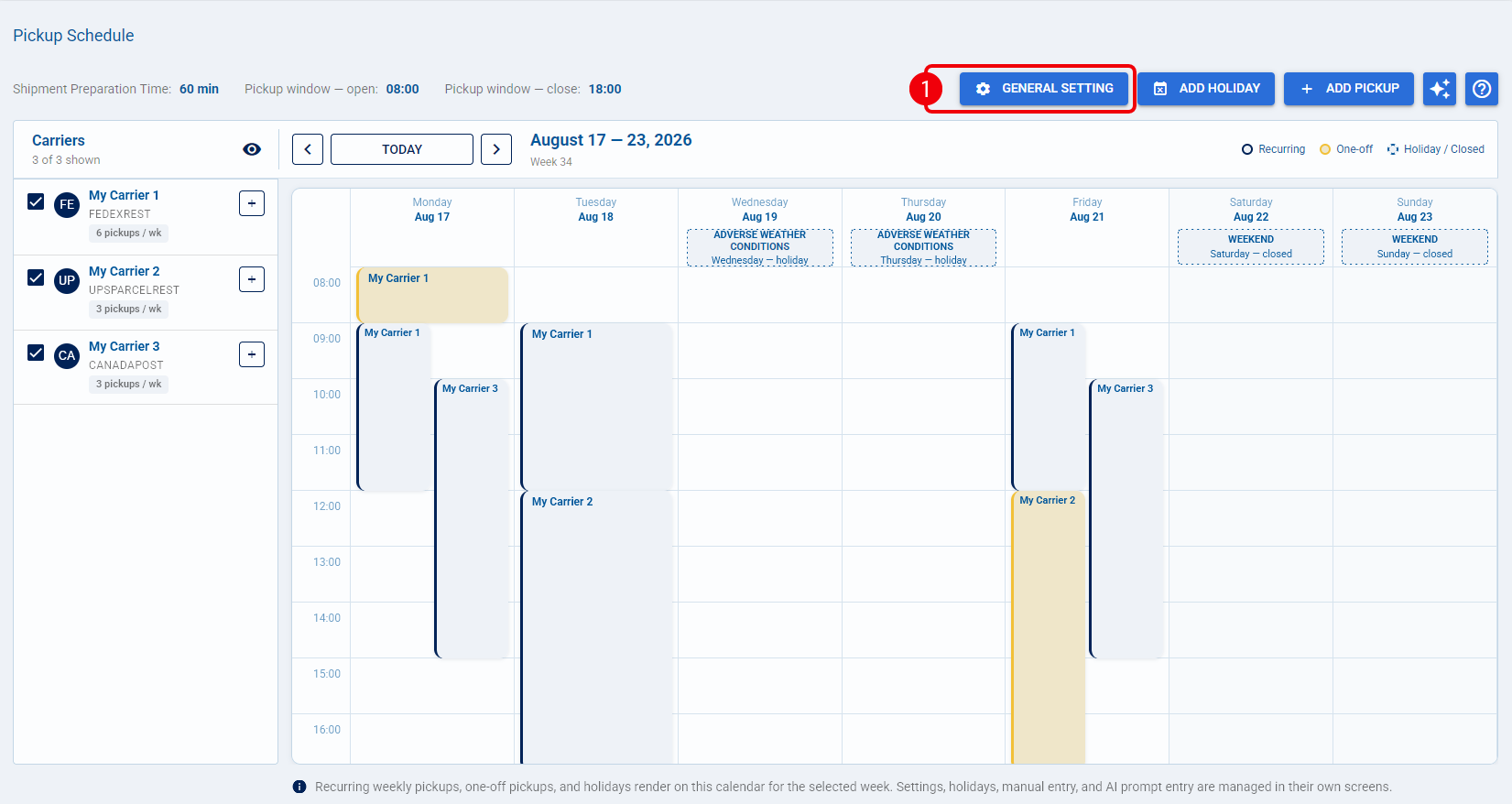
| Click the General Settings button to open the configuration dialog. |
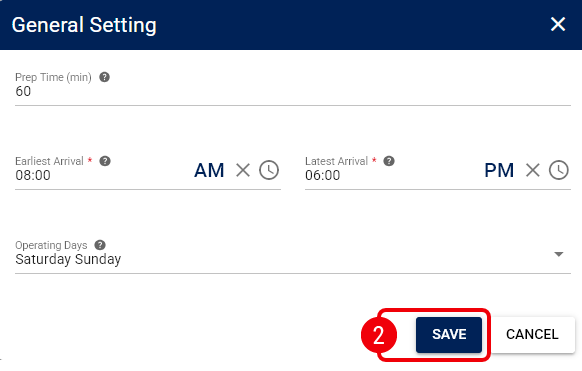
| Define the following operational parameters and click Save: |
- Prep Time (min): Enter the Shipment Preparation Time in minutes. techSHIP adds this duration to the label creation timestamp to determine exactly when the package is ready for carrier induction.
- Earliest Arrival: Enter the earliest daily time a carrier can arrive to begin pickups at this location.
- Latest Arrival: Enter the latest daily time a carrier can arrive to complete pickups.
- Operating Days: Select the standard weekly Work Days that this facility remains open for carrier pickups.
Managing Facility Holidays
Holidays represent dates when the facility is closed, which automatically suppresses standard recurring pickups and defers estimates to the next available working day.
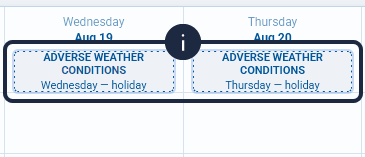
Once added, holidays are marked at the top of the calendar column for the respective date, and the entire daily column is visually shaded to indicate the facility closure
Adding a Holiday Manually
To manually block out closed dates on your calendar:
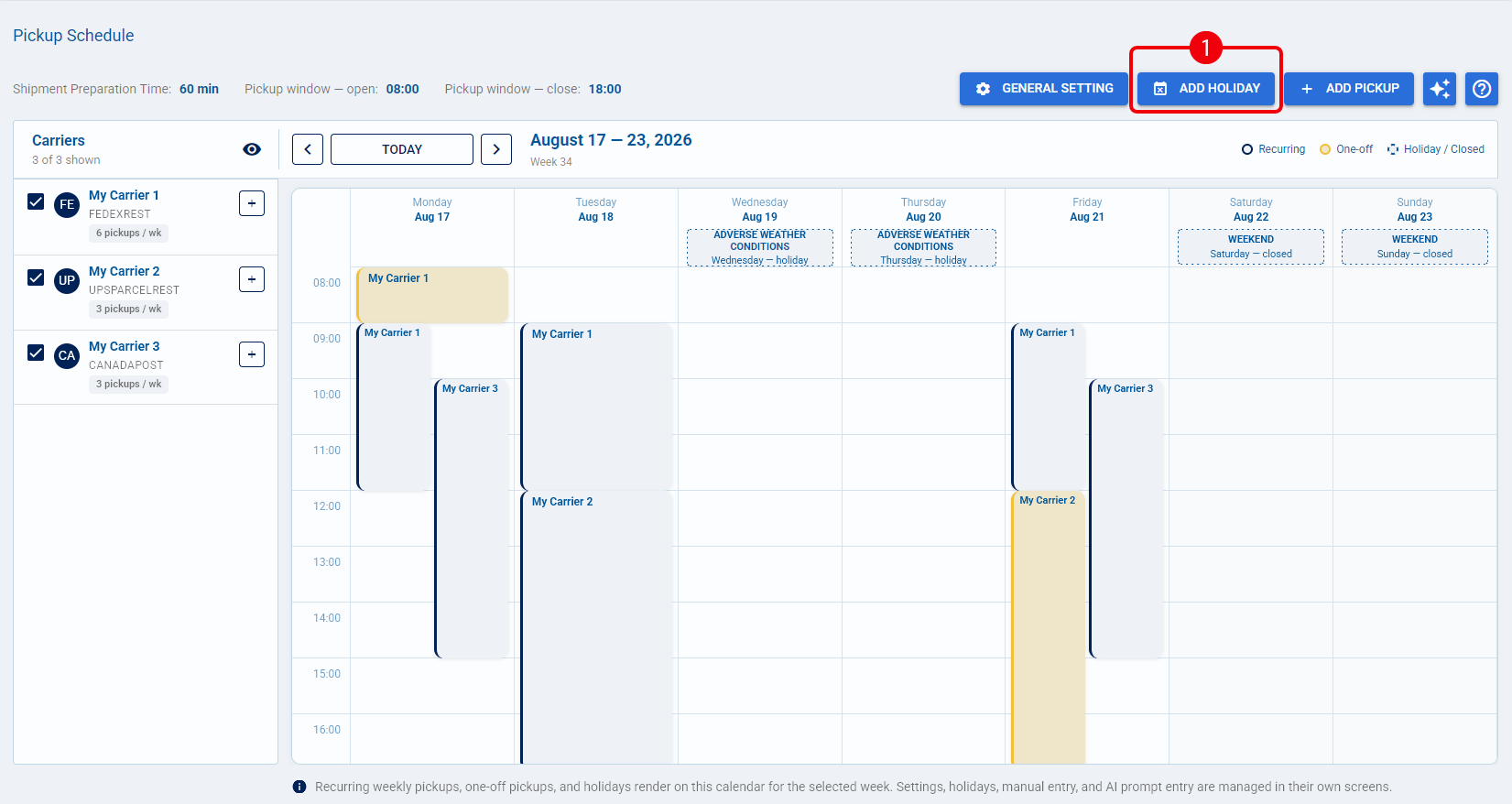
| Click the Add Holiday button to open the modal. |
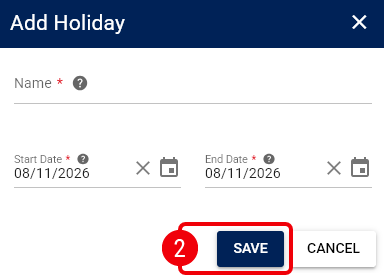
| Define the following parameters and click Save to immediately reflect this closure on your operational calendar: |
- Name: Enter a descriptive identifier for the closure (e.g., "Thanksgiving").
- Dates: Select the specific calendar dates for this closure.
Editing or Deleting a Holiday
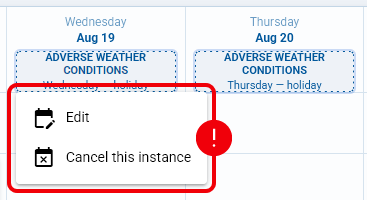
To modify or remove an existing closure on your schedule, click on the specific holiday block on your calendar and choose the appropriate action:
- Edit: Update the Name or Dates as needed, and click Save.
- Cancel this instance: Restore standard pickup schedules for those days.
Using the AI Assistant for Holidays
You can utilize the AI Assistant prompt on this page to instantly generate bulk facility closures (for example, typing "Add Federal Holidays for the current year" to pre-fill the calendar).
For complete instructions and details regarding the availability of this tool, refer to techSHIP AI Assistant: Overview & Availability [Information].
Was this article helpful?
That’s Great!
Thank you for your feedback
Sorry! We couldn't be helpful
Thank you for your feedback
Feedback sent
We appreciate your effort and will try to fix the article