When setting up a beta sales channel, you may need to define additional system behaviors, such as how products are synchronized and how authorization tokens are refreshed between techOMS and the beta sales channel.
This guide walks you through the configuration process for the background jobs located in the Other System Settings section.
 | To learn more about additional beta sales channel-related automations—such as inventory and sales orders synchronization—refer to Main Settings of a Beta Sales Channel [Information]. | |
| | ||
 | Make sure your product configuration aligns with the Account's Master Product Source setting. Otherwise, this can result in unnecessary or misleading logs. For details, see Understanding the techOMS Master Product Source [Information]. | |
| | ||
To configure these system settings for a beta sales channel:
| Make sure that you are operating at the right Account beforehand. | |
| | ||
 | Click Channels from the left menu under the Sales Channels section. |
 | Click on the designated Sales Channel name. |
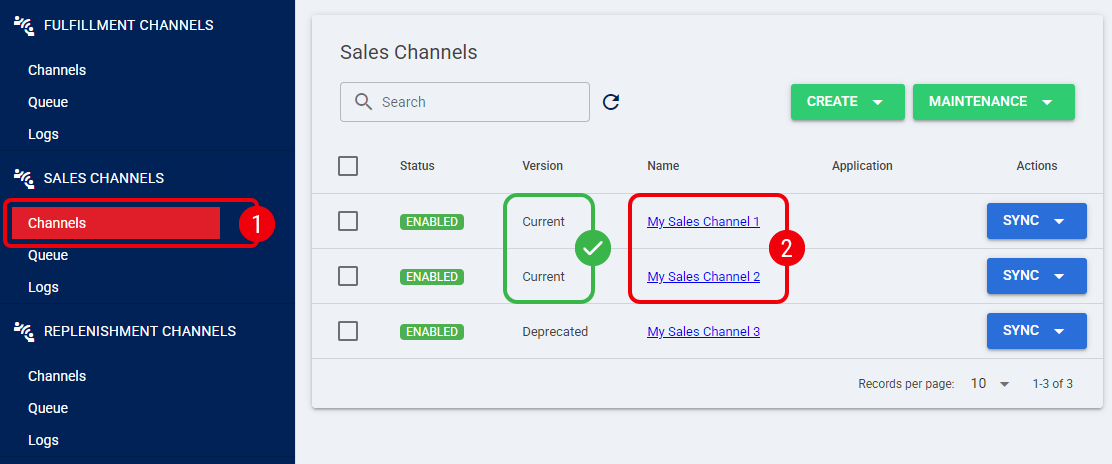
 | Scroll down to the Other System Settings section and use the Main Job Period drop-down fields to define how often each setting runs: |
- Authorization Refresh Settings: Defines how often the authorization token used to access the external API should be refreshed.
- Import Products: Defines the frequency at which product data is pulled from the sales channel into techOMS.
- Export Products: Defines the frequency at which product data is pushed from techOMS to the sales channel.
| If a Main Job Period is set to None, that specific job will not run. For example, setting the Authorization Refresh Settings to None will prevent techOMS from making API calls to the external service. | |
| | ||
| Available synchronization frequencies and directions depend on the specific sales channel. See techOMS Sales Channels - Master List [Guides List] for details on your channel's supported features. | |
| | ||
 | Press Save. |
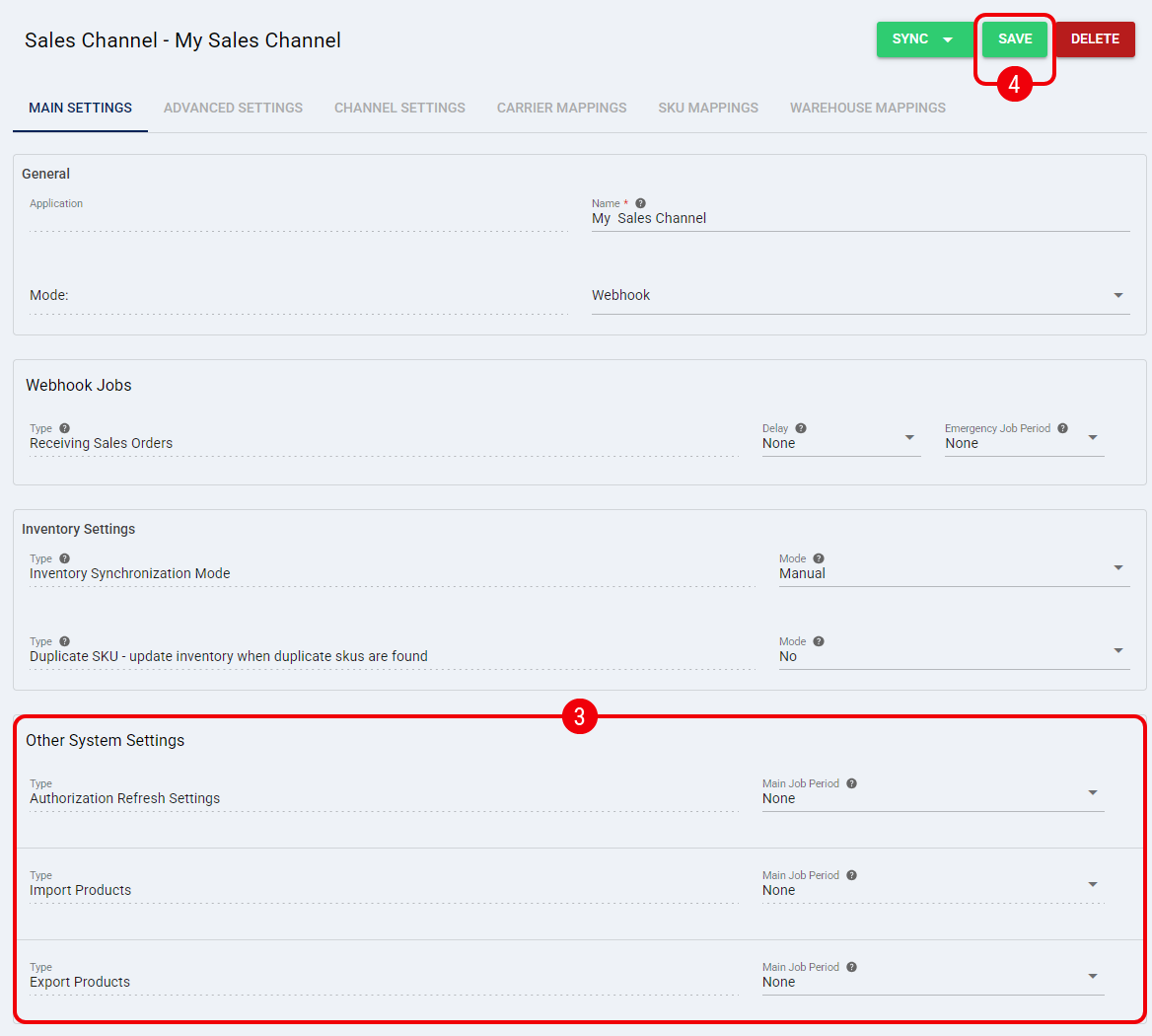
Your beta sales channel is now configured with the selected system synchronization and authorization refresh strategy.
Was this article helpful?
That’s Great!
Thank you for your feedback
Sorry! We couldn't be helpful
Thank you for your feedback
Feedback sent
We appreciate your effort and will try to fix the article