If you have used SCAC variants with the purpose of Routing at the Billing Account level, your setup will look different in the new techSHIP.
The logic split you applied at the Client > Billing Account level, will now be transferred to the Carrier level.
For example, if in techSHIP Legacy you had many Billing Accounts across Clients, with different SCAC Codes, these are tied to a single Carrier Profile on the Carrier's end but with these variants as Baseline Accounts:
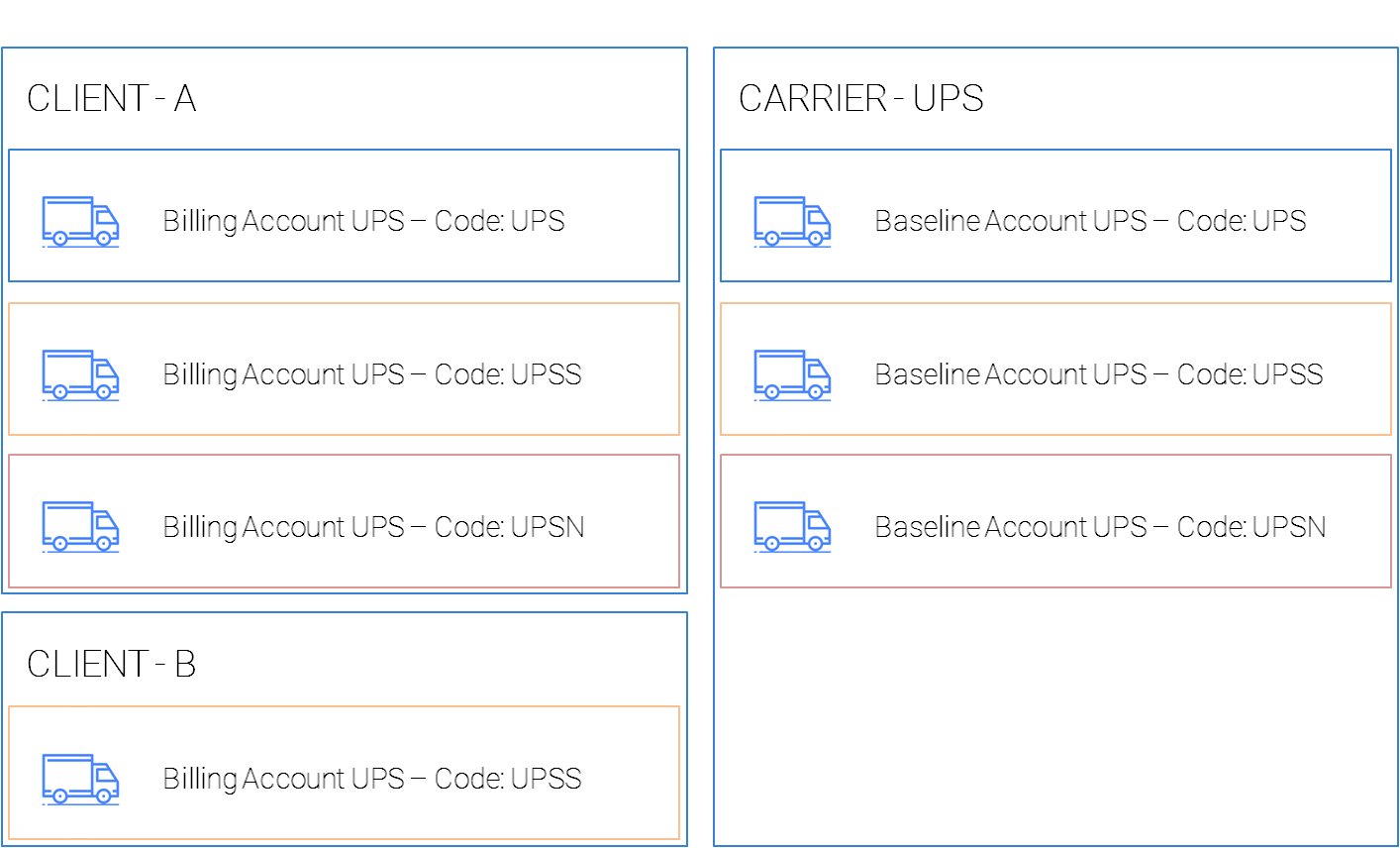
In this diagram, two different Clients are using UPS, but UPS is only setup once at the Carrier level, with all SCAC Code variant accounts under it (UPS, UPSS and UPSN).
Within Client A, there are three Billing Accounts, each one tied to a Baseline Account variant, to route the orders through the right account according to the case.
Within Client B, there is only one Billing Account, bound to the Carrier UPS, and targeting the Baseline Account with SCAC Code UPSS.
Now, in the new techSHIP, these Carrier Variants will literally be split at the Carrier level in separate Carrier profiles, so each one exists encapsulated in its own case.
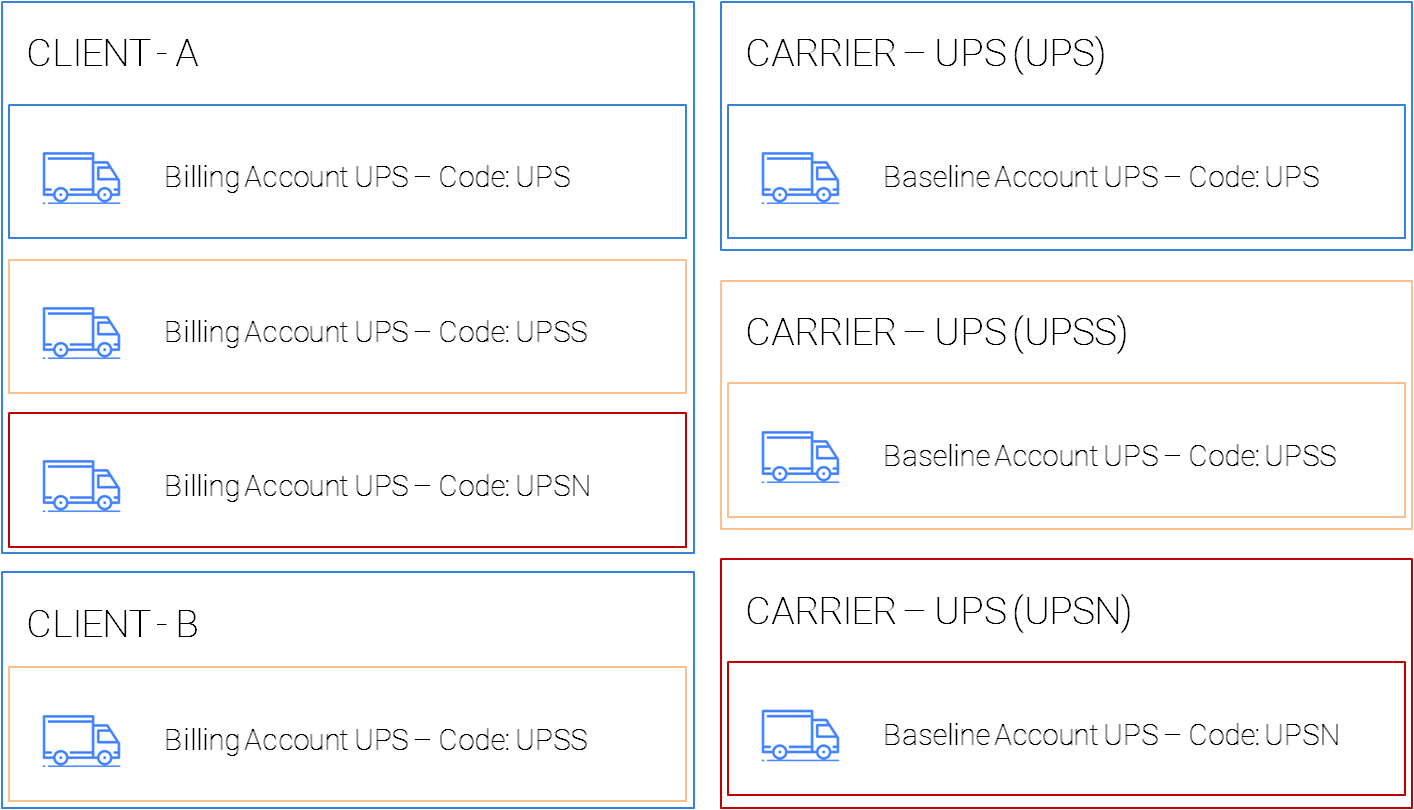
The current accounts you have configured will not be affected, and additional bindings or mappings are not required, these will still be bound as they were before.
If any new accounts need to be added under existing variants, create the Baseline Accounts under these new variants.
If you need to create new variants, create a new Carrier Profile, and the Baseline Account under it, to then, subsequently, use them at the Client level.
 |
The CODE at the Client level cannot be changed in the new version, and it will need to be addressed at the Carrier level as indicated here. |
ALTERNATIVES: USING OMR
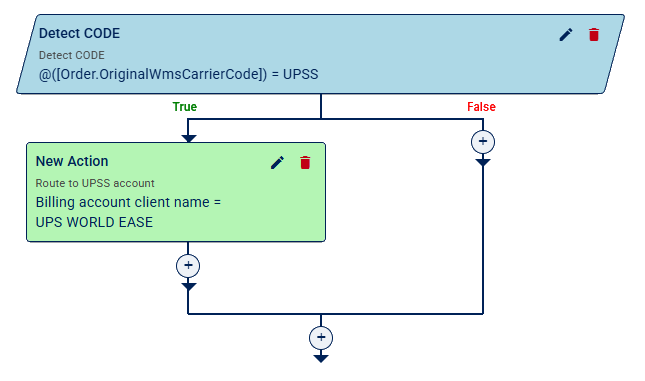
If you have a techSHIP Plus Subscription or above, you can resort to use Rule Sets and use Expressions to target the field, using @([Order.OriginalWmsCarrierCode]), for example:
ALTERNATIVES: USING BLACKBOX
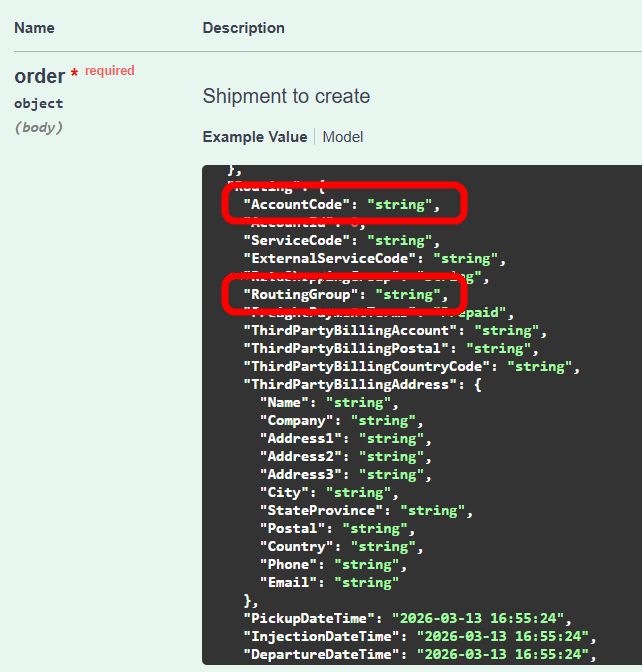
If you connect to techSHIP via API (Blackbox), when you create your Shipment, move your logic from Account Code to Routing Group, having setting up the Routing Group at the Billing Account level.
The model is different, the purpose is the same. Just as you pass UPSS as Account Code to target a Billing Account as UPSS, you can also pass the Routing Group with whichever value you set at the Billing Account.
If you engage with this model, you can have a SINGLE Carrier Profile (e.g. UPS), so you will always pass UPS as the AccountCode, but have the variants passed in the Routing Group, avoiding to split.
Was this article helpful?
That’s Great!
Thank you for your feedback
Sorry! We couldn't be helpful
Thank you for your feedback
Feedback sent
We appreciate your effort and will try to fix the article