You use Pricing Dimensions to define measurement brackets, such as weight tiers, for Custom Pricing Tables and Markup Profiles.
This guide covers how you create a dimension, configure its ranges, and maintain its dimension items.
 | Use with Markup Profiles: For detailed conceptual information and advanced configuration, refer to Understanding Markup Profiles in techSHIP [Guide]. | |
| | ||
TABLE OF CONTENTS
Configure a Pricing Dimension
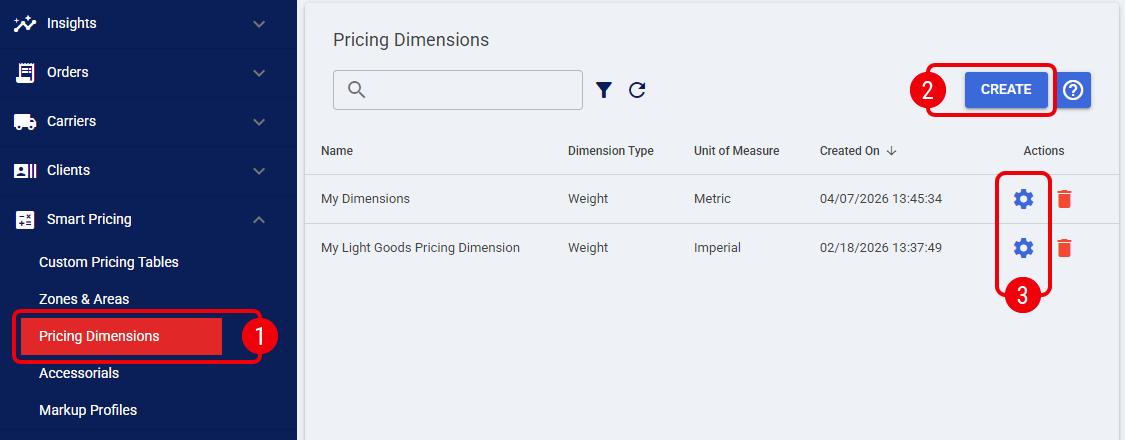
 | Click Pricing Dimensions from the left menu under the Smart Pricing category. |
 | Press Create, complete the required fields including the measurement Type (e.g., Weight) and the System of Measurement (e.g., Metric or Imperial), and save the record. |
 | Click the Edit icon on your newly created record to configure its specific tiers. |
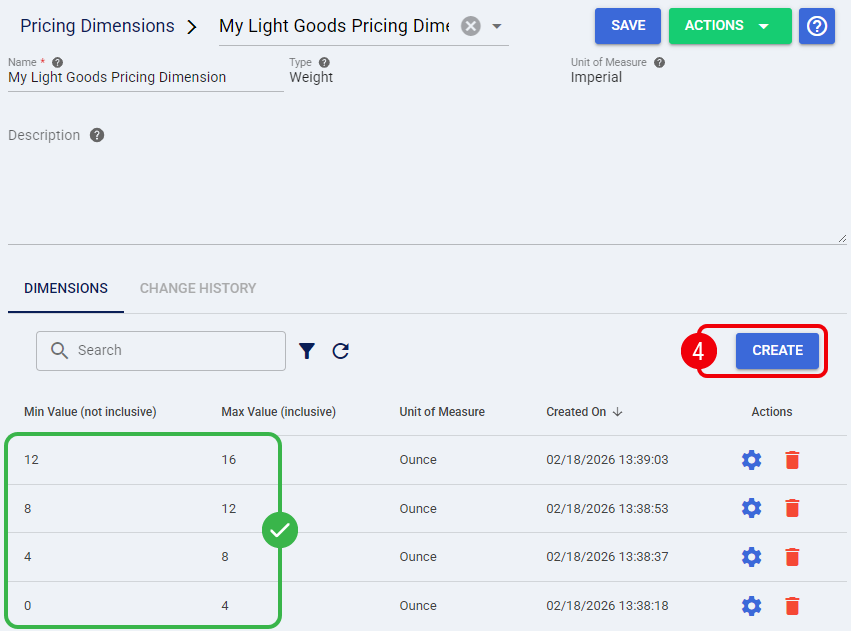
 | Under the Dimensions tab, press Create to build your tier list. |
 | Ensure there are absolutely no gaps or overlaps between ranges. The Min Value is strictly exclusive (>) and the Max Value is inclusive (≤). To ensure continuous coverage, use the exact Max Value of the previous tier as the Min Value for the next. | |
| To bypass manual UI entry, you can manage dimension items using the Export and Import functions under the Actions menu. This allows you to bulk update your tier matrix via spreadsheet. Keep in mind that importing a file completely replaces all existing dimension items.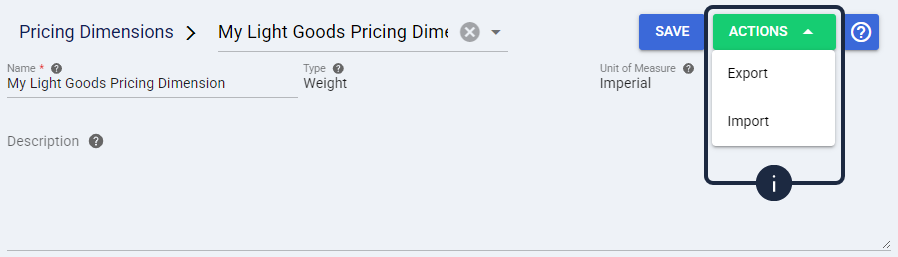 | |
You have now established your dimensional tiers, ready for use with a Custom Pricing Table or Markup Profile. Continue with the corresponding guide below to use your dimension in that configuration.
Next Steps
To use your dimension with Custom Pricing Tables, continue with the Creating Service Levels section of Mastering Smart Pricing in techSHIP [Guide].
To use your dimension with Markup Profiles, continue with How to Configure and Manage Markup Profiles in techSHIP [Step-by-Step Guide].
Was this article helpful?
That’s Great!
Thank you for your feedback
Sorry! We couldn't be helpful
Thank you for your feedback
Feedback sent
We appreciate your effort and will try to fix the article