You can assign or modify permissions for an existing Location User in techSHIP.
This guide explains how to update the user's permissions and save the new configuration.
 | Location User permissions can grant access to pages and modules or enable specific actions within pages you can already access. For detailed information about each available setting and the required permissions to perform this procedure, refer to techSHIP User Permissions Structure [Information]. | |
| | ||
| If the profile belongs to an Organization User, it appears as read-only in Location Users, and you cannot modify its permissions from this page. For information about global users and roles, refer to Understanding Organization Users [Guide].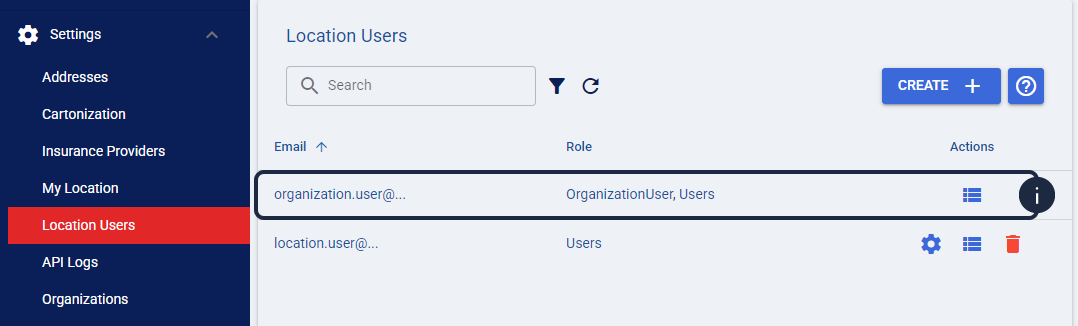 | |
| | ||
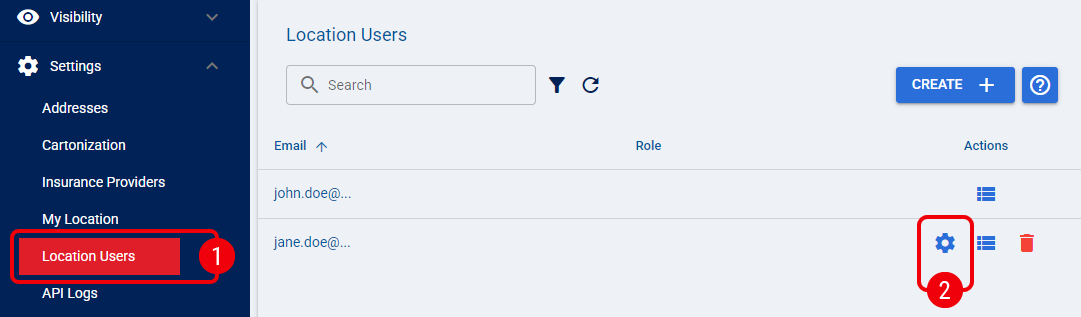
 | From Settings, select Location Users. |
 | Click the Edit icon for the Location User you want to configure, or continue from the Create User dialog if you are creating a new user. |
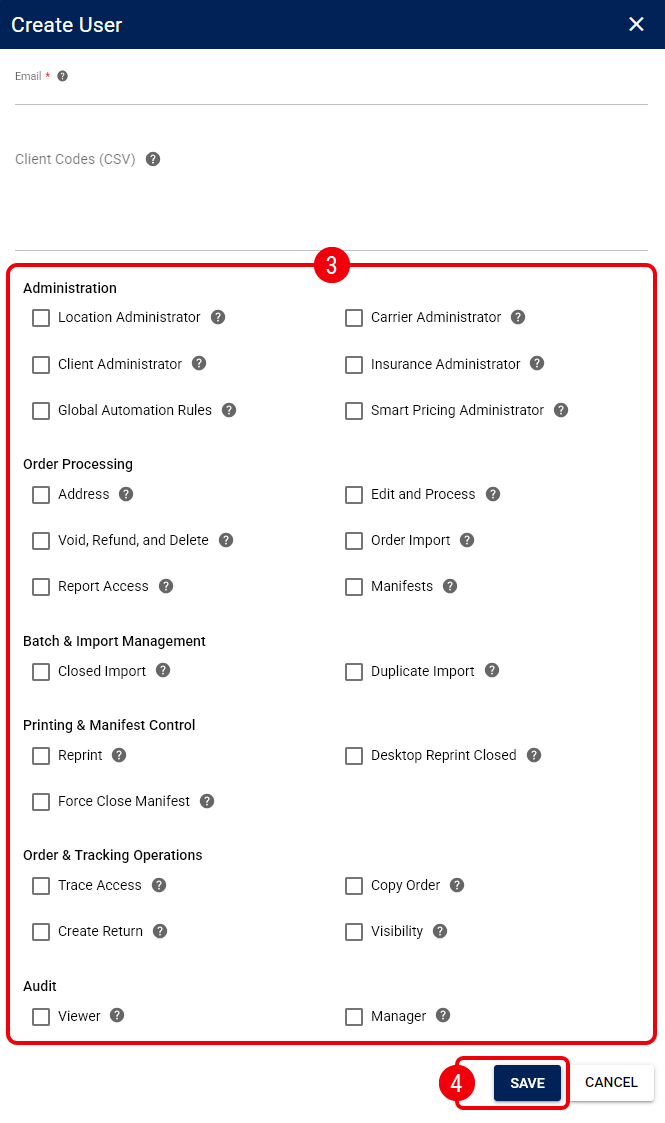
 | Select or clear the required permission checkboxes under the available groups: |
- Administration
- Order Processing
- Batch & Import Management
- Printing & Manifest Control
- Order & Tracking Operations
- Audit
| Available permissions can depend on enabled features or your subscription. For detailed permission requirements and interactions, refer to techSHIP User Permissions Structure [Information] and techSHIP Specifications Sheet [Information]. | |
| | ||
 | Click Save to apply the permission changes. |
The Location User now has the selected permissions. To restrict access to specific clients, continue with How to Configure Client Access for a Location User [Step-by-Step Guide].
Was this article helpful?
That’s Great!
Thank you for your feedback
Sorry! We couldn't be helpful
Thank you for your feedback
Feedback sent
We appreciate your effort and will try to fix the article