Use Client Codes (CSV) to limit a Location User's access to specific clients in techSHIP.
This guide explains how to configure client access for a new or existing Location User.
 | For detailed conceptual information, advanced configuration, and checking the required permissions to perform this procedure, refer to techSHIP User Permissions Structure [Information]. If you have not created the Location User yet, follow How to Create a Location User [Step-by-Step Guide] to open the user creation dialog, then continue with the steps below. | |
| | ||
| If the profile belongs to an Organization User, it appears as read-only in Location Users, and you cannot modify its permissions from this page. For information about global users and roles, refer to Understanding Organization Users [Guide].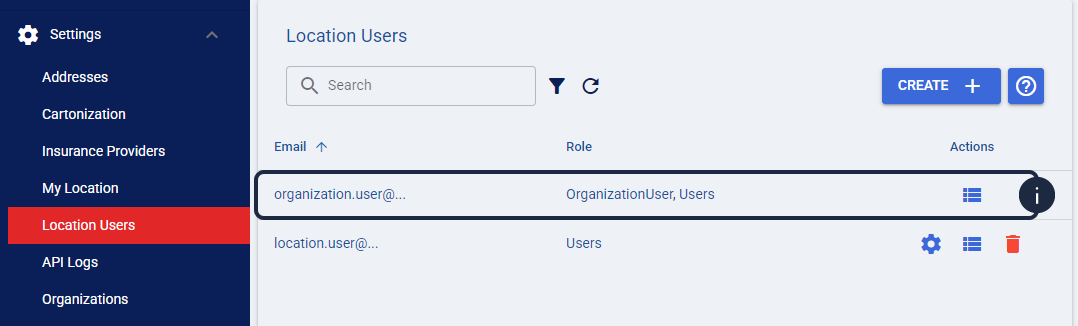 | |
| | ||
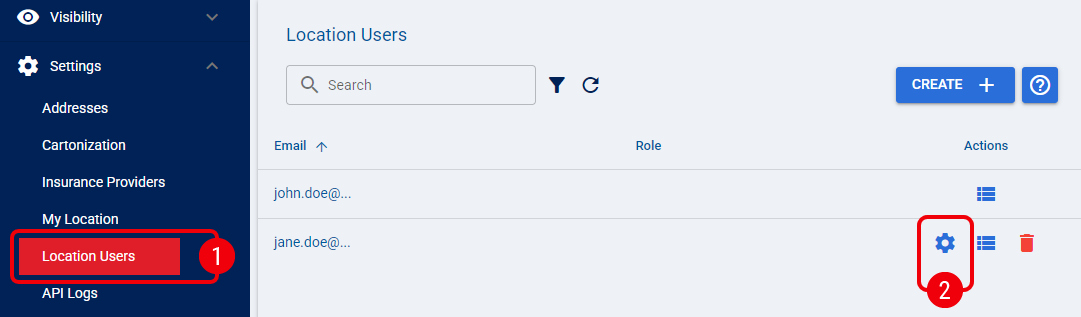
 | From Settings, select Location Users. |
 | Click the Edit icon for the Location User you want to configure, or continue from the Create User dialog if you are creating a new user. |
 | In Client Codes (CSV), enter the Client Codes that the user needs access to. To provide access to multiple clients, separate each Client Code with a comma, for example CLIENT_A,CLIENT_B. |
 | Review the configured Client Codes, then select Save. |
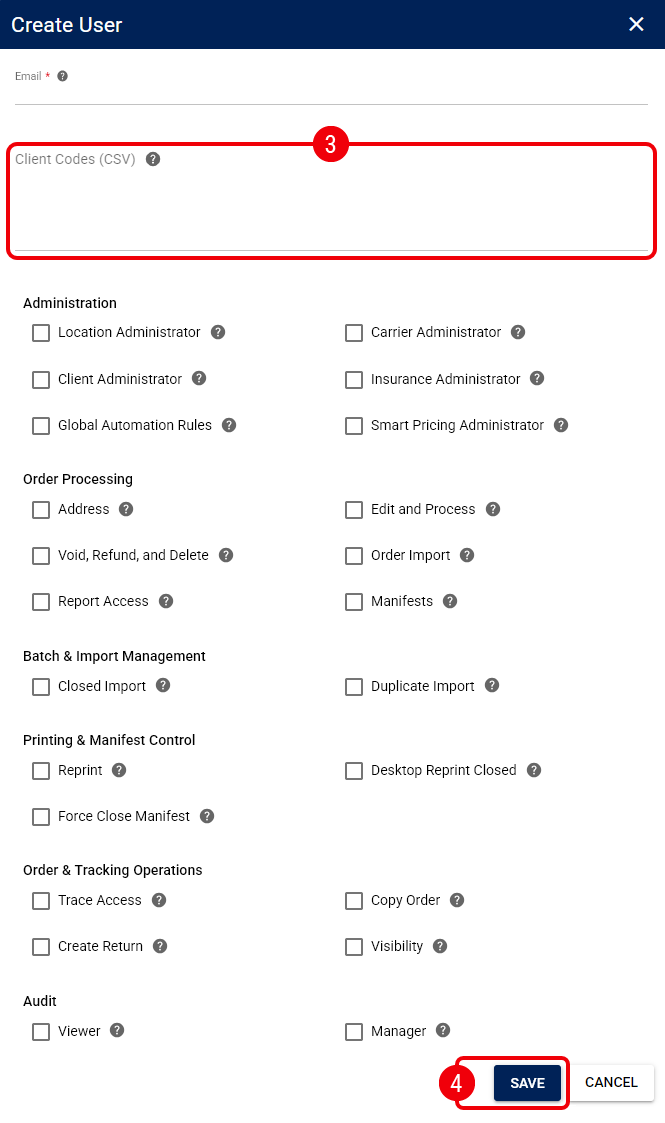
The Location User's client access is now limited to the Client Codes you entered.
Was this article helpful?
That’s Great!
Thank you for your feedback
Sorry! We couldn't be helpful
Thank you for your feedback
Feedback sent
We appreciate your effort and will try to fix the article