To ensure the fastest possible performance and prevent system timeouts, techOMS applies a default date filter to all main lists and logs.
This article explains how this filter works and how to view historical records.
This article is divided into the following sections:
- The 7-Day Default Rule
- Viewing Older Records
I. THE 7-DAY DEFAULT RULE
When you open any list screen, techOMS automatically filters the results to show only records from the last 7 days.
This behavior applies globally to:
- Sales/Purchase Orders/Logs
- Shipments/Receipts
- Sales/Fulfillment Channel Logs/Queues
- Webhook Logs
 NOTE: If a list appears empty upon loading, it does not necessarily mean there are no records. It indicates that no records were created within the last 7 days.
II. VIEWING OLDER RECORDS
To view records older than 7 days, you must use the Advanced Filter:
NOTE: Screenshots within this section are for illustrative purposes only.
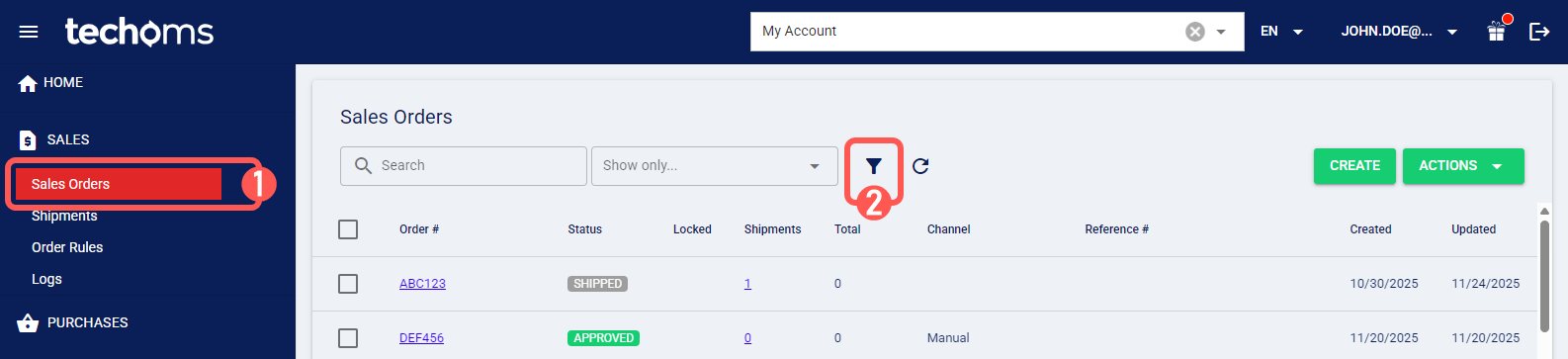
1. Click the relevant menu item from the left menu.
2. Click the Advanced Filter icon.
3. Adjust the Date Range fields.
NOTE: These fields are often labeled as Created Date Start/End, Event Date Start/End, etc.
4. Press Apply.
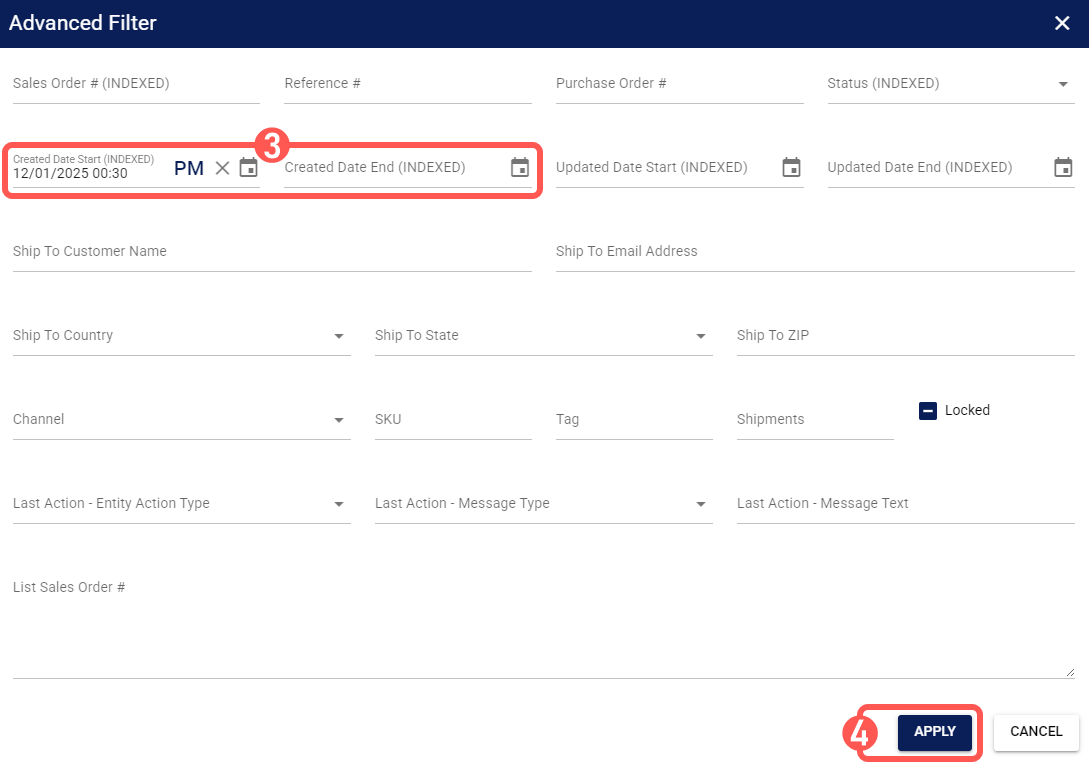
techOMS will then retrieve and display the historical data matching your specified criteria.
Was this article helpful?
That’s Great!
Thank you for your feedback
Sorry! We couldn't be helpful
Thank you for your feedback
Feedback sent
We appreciate your effort and will try to fix the article