In techOMS, Address Book Entities act as master records for your external contacts. By creating a Customer or Supplier entity, you can centrally manage contact information, addresses, and specific references at the Account level. While you can manually type addresses into orders, using these master records provides advanced automation: Customers are used for Sales Orders, and Suppliers are used for Purchase Orders.
This guide provides a conceptual overview of the Customer and Supplier entities in techOMS and explains how their References function.
Prefer listening? This podcast-style audio walks you through the article's key points.
 | AI-Assisted & Human-Reviewed: For general information only. Please double-check important details. | |
| For instructions on how to create, edit, delete, or import these records, refer to How to Manage Customers and Suppliers: Create, Edit, Delete, and Import [Step-by-Step guide]. | |
| | ||
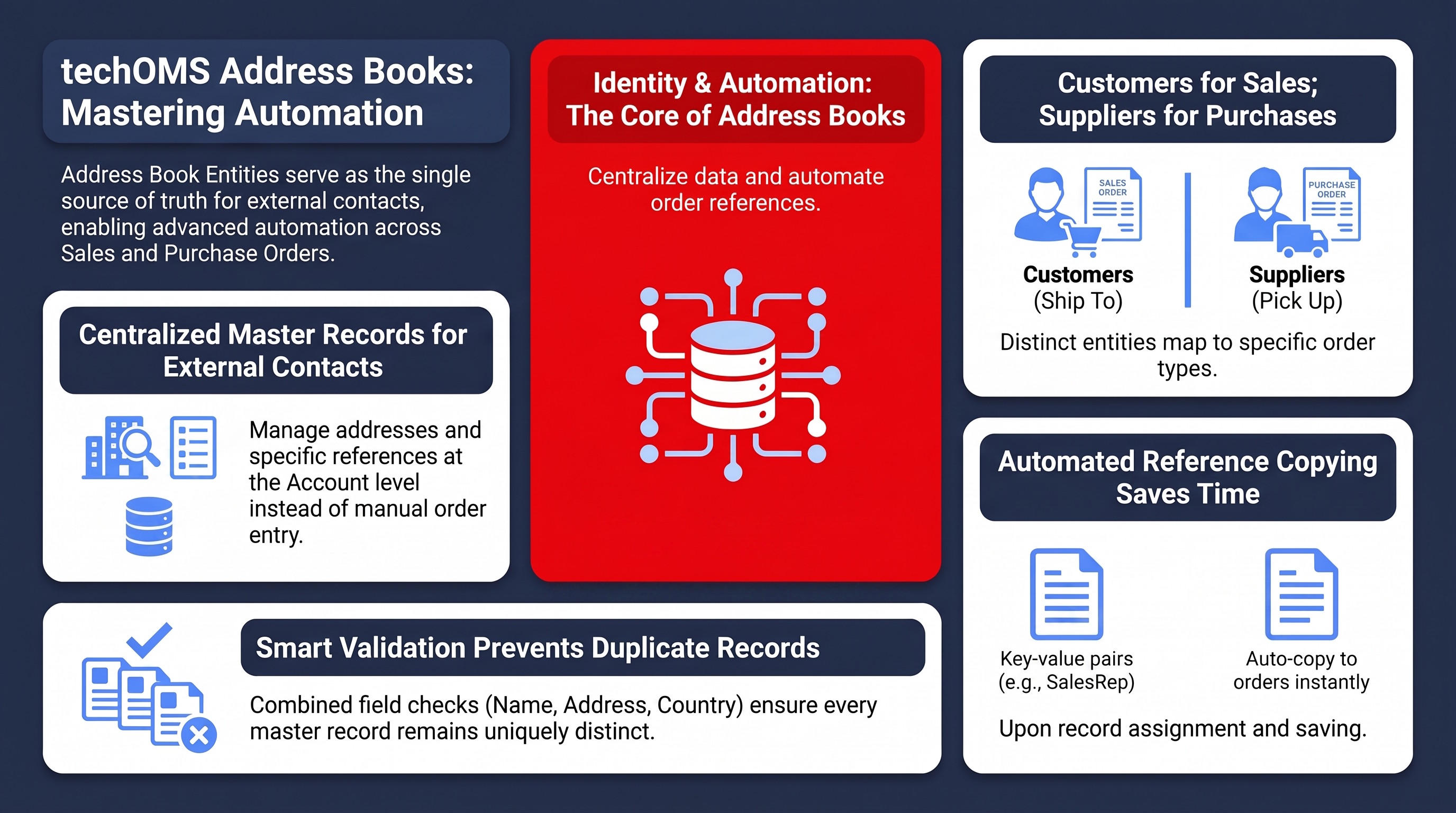
TABLE OF CONTENTS
Identity and Validation
techOMS automatically assigns a unique, system-generated ID to every new Customer or Supplier created. This primary identifier ensures that every record in your Address Book remains uniquely distinct.
Separately, techOMS utilizes a validation rule to prevent you from creating accidental duplicate records. The system checks for the uniqueness of the following fields combined:
- Contact Name
- Address Name (Ship To and Bill To for Customers, or Pickup Location and Bill To for Suppliers)
- Address Line 1
- Address City
- Address Postal Code
- Address Country
- Address State/Province
| This criteria allows a single Contact Name to exist multiple times in your Address Book, provided the associated Ship To, Bill To, or Pickup Location addresses are fundamentally different. | |
| | ||
References
References are key-value pairs that you can store directly on a Customer or Supplier entity, such as a Code of "SalesRep" with a Value of "John Doe". Each Reference must contain both a Code and a Value. Within the same Customer or Supplier, each Reference Code must be unique regardless of letter casing; for example, "SalesRep" and "salesrep" are treated as the same Code.
The primary function of these References is automation. When you assign an entity to an order, techOMS automatically copies its References to the corresponding order:
- Customer References are automatically copied to Sales Orders (when assigned in the Ship To section).
- Supplier References are automatically copied to Purchase Orders (when assigned in the Supplier section).
These copied references are displayed with their Type set to Order, alongside any other order-level references on the References tab.
 | The reference-copying process is a one-time action triggered when the order is saved. If you update an entity's References in the Address Book later, those changes will not retroactively apply to existing Sales Orders or Purchase Orders. If you manually change the Customer or Supplier on an existing order, techOMS will append the new entity's References but will not automatically remove the previous entity's References. You must manually delete any obsolete entries from the References tab to prevent duplicates. | |
| | ||
| If an order already contains a reference with the same Type and Code, its Value will be overwritten by the incoming Customer Reference or Supplier Reference. | |
| | ||
The following rules dictate how reference management behaves across different order creation methods, and they apply identically to both Customers and Suppliers:
- Manual (UI) Creation: When you select a Customer or Supplier via the techOMS interface, the references are copied to the order upon saving. You may need to refresh the page for the copied data to appear in the order's References tab. For more information on manual creation of Sales Orders, see How to Manually Create a Sales Order [Step-by-step guide].
- API Creation: When you create an order via the API and assign an existing entity, the References are properly attached and become visible in the UI's References tab. For details on API mechanics, see Getting started using techOMS API [Information].
- File Import: The standard File Import method for orders does not apply Customer or Supplier References. This is because the file import maps raw address data directly to the order rather than strictly linking the order to an Address Book entity.
Was this article helpful?
That’s Great!
Thank you for your feedback
Sorry! We couldn't be helpful
Thank you for your feedback
Feedback sent
We appreciate your effort and will try to fix the article