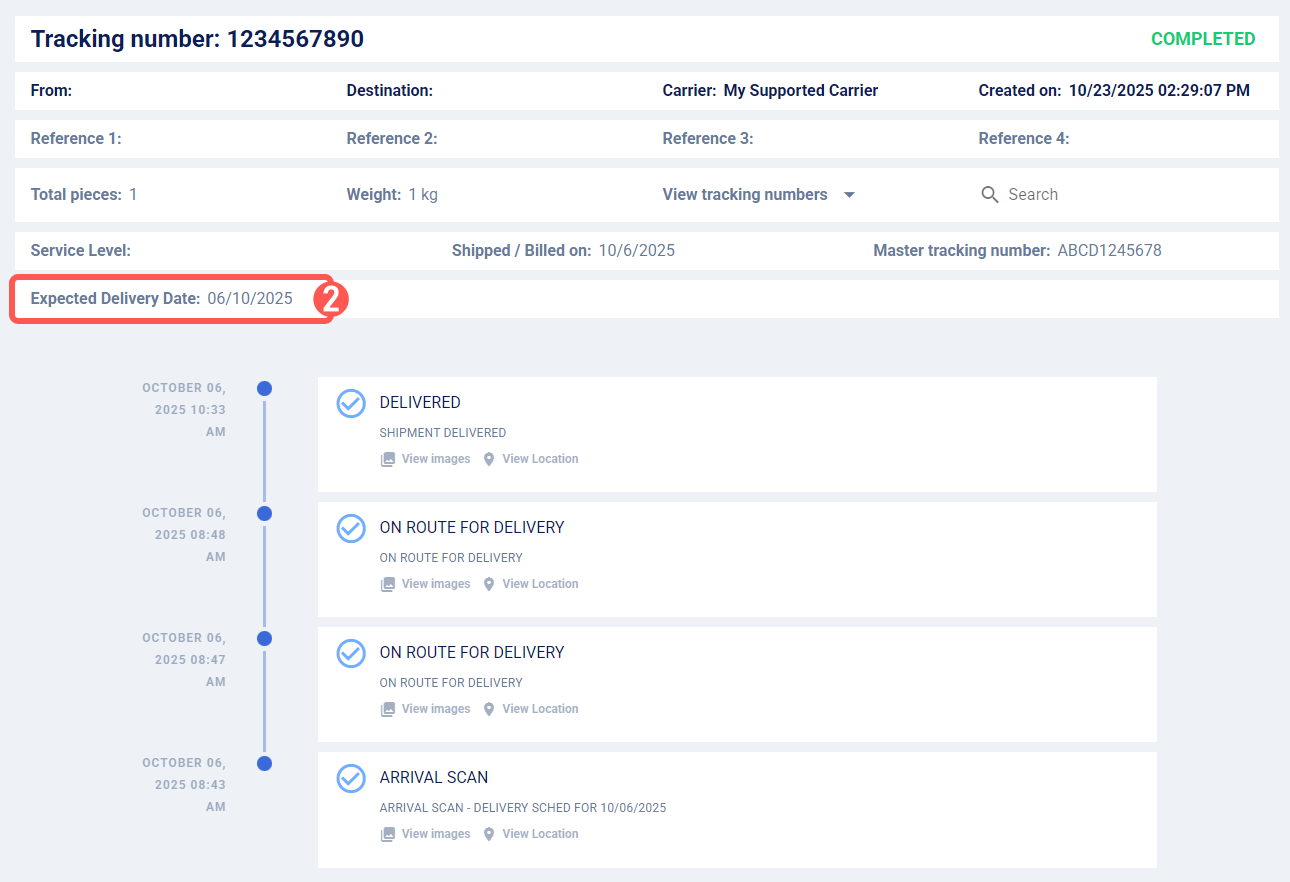
Once a shipment is created, you can view its Expected Delivery Date (EDD). By default, this date is provided by the Carrier. If the Carrier does not supply an expected date, techTRACK will automatically display a fallback date provided by techSHIP to help you improve delivery planning and performance analysis.
 WARNING: The EDD timezone is determined by each Carrier. For consistent reporting, verify the timezone directly with the corresponding Carrier.
 NOTE: This feature is available only for supported Carriers. For details, see techTRACK & techAUDIT Supported Carriers - Master List [Guides List].
To view the EDD:
NOTE: For a detailed guide opening tracking details, see: How to View Tracking Details [Step-by-Step guide].
2. Locate the Expected Delivery Date field.
Was this article helpful?
That’s Great!
Thank you for your feedback
Sorry! We couldn't be helpful
Thank you for your feedback
Feedback sent
We appreciate your effort and will try to fix the article