techSHIP utilizes a multi-tiered organizational hierarchy to streamline operations, allowing you to easily manage multiple facilities, administrative users, and global settings under a single unified structure.
This article explains the core entities within the techSHIP organizational model and how they connect to support your fulfillment operations.
Prefer listening? This podcast-style audio walks you through the article's key points.
 | AI-Assisted & Human-Reviewed: For general information only. Please double-check important details. | |
TABLE OF CONTENTS
Organizations
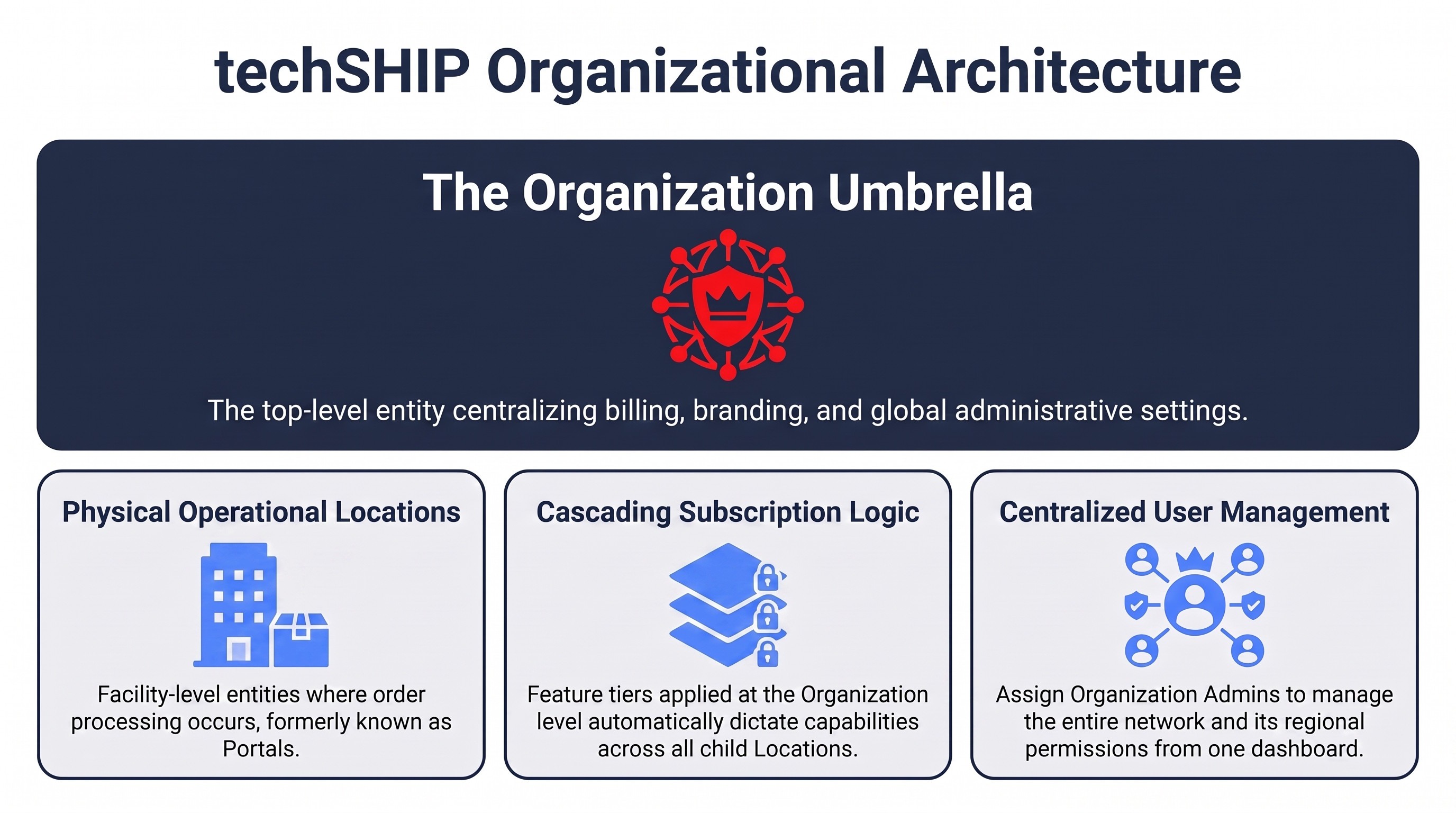
The Organization is the starting point and the top-level entity in the techSHIP hierarchy. It serves as the primary administrative umbrella for your business. By managing settings at the Organization level, you can centralize billing, control global branding, and group cross-regional entities together. All structural configurations, user roles, and physical facilities cascade down from this centralized level.
| This layer allows you to assign specific users, granting them broad management capabilities across all child facilities. For more information, see: Understanding Organization Users [Guide]. | |
| | ||
To configure your top-level entity, refer to Managing Organizations [Guide].
Billing and Subscriptions
Your billing parameters and feature capabilities are displayed centrally at the top of the hierarchy. The Subscription Level assigned to your Organization acts as the default baseline that dictates feature access across all connected Locations.
Depending on your operational needs, your Organization will utilize one of the following active subscription tiers:
- Standard: Includes basic label printing, Order Management Rules, and baseline manifesting features.
- Plus: Adds multi-station configurations, advanced automated workflows, and Fulfillment Center Analytics.
- Pro: Adds complex cartonization logic and cross-location reporting dashboards.
- Enterprise: Unrestricted access with advanced Rate Shopping options and hidden markups.
For a detailed breakdown of features and processing limits, refer to the techSHIP Specifications Sheet [Information].
Locations
Underneath the organizational umbrella are your Locations. A Location represents a specific physical operational facility where your actual order processing and fulfillment activities take place. Every Location must be firmly tied to a parent Organization to function properly.
| In the legacy version of techSHIP, Locations were previously known and referred to as Portals. | |
| | ||
To configure your operational facilities, refer to Managing Locations [Guide].
Was this article helpful?
That’s Great!
Thank you for your feedback
Sorry! We couldn't be helpful
Thank you for your feedback
Feedback sent
We appreciate your effort and will try to fix the article