As your fulfillment operations scale, managing inventory across multiple physical locations can become complex. techOMS allows you to create Virtual Warehouses to group multiple physical locations into a single, unified inventory pool, simplifying your connection to external systems.
This article explains the concept of Virtual Warehouses, how their inventory levels are calculated, and how they synchronize aggregated stock with your connected Sales Channels.
Prefer listening? This podcast-style audio walks you through the article's key points.
 | AI-Assisted & Human-Reviewed: For general information only. Please double-check important details. | |
TABLE OF CONTENTS
What Is A Virtual Warehouse?
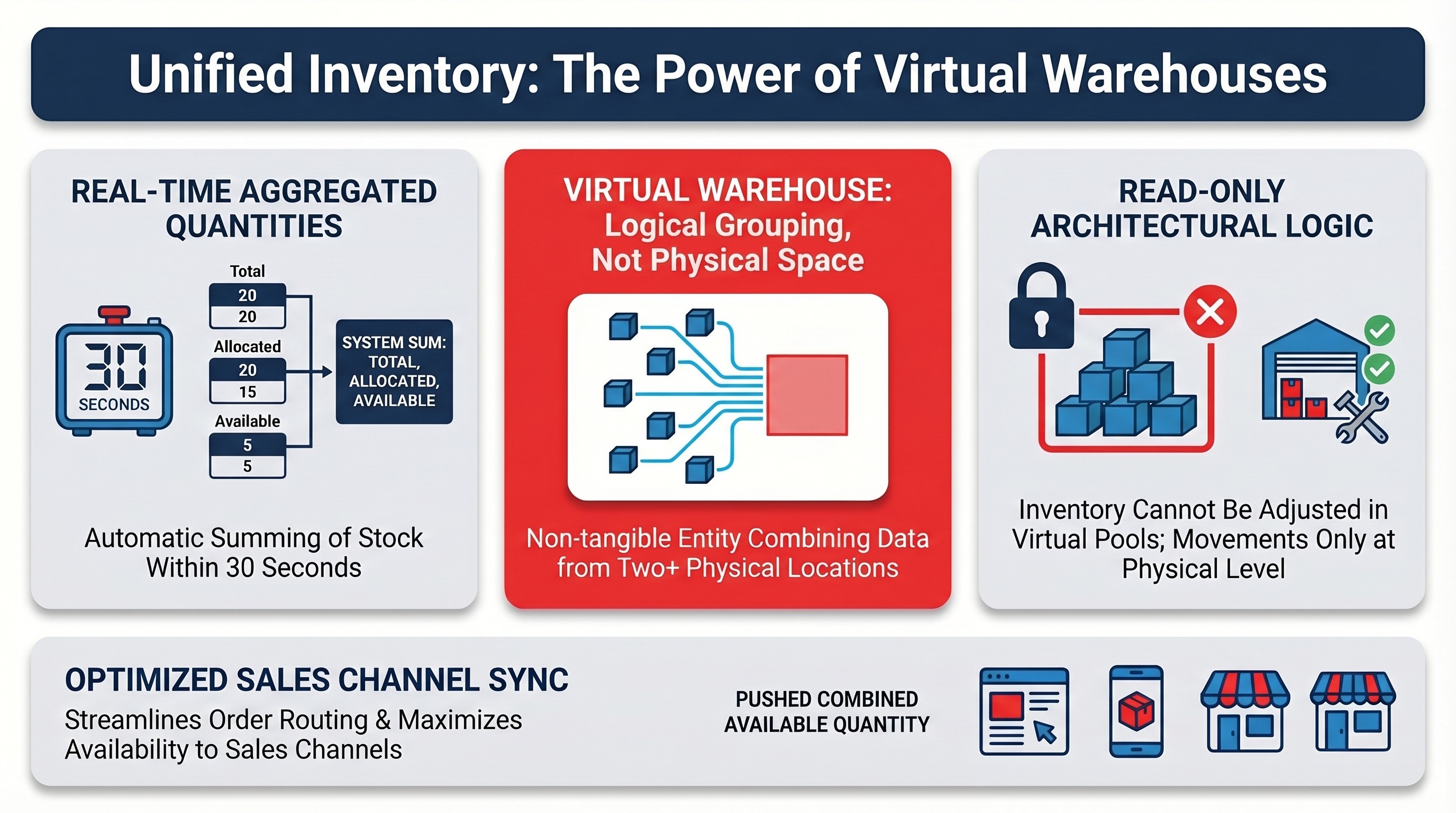
A Virtual Warehouse is a logical grouping of two or more physical warehouses. It does not represent a tangible building; instead, it acts as an aggregated view that combines the inventory data of its member locations.
This feature allows you to see your inventory as it truly exists across regions. For example, if you operate a West Coast physical warehouse and an East Coast physical warehouse, you can group them into a single National virtual warehouse. This eliminates fragmented inventory views and improves your ability to plan and allocate stock across your Sales Channels.
Physical Vs. Virtual Warehouses
While both warehouse types exist within your organization and accounts, they serve different operational purposes:
- Physical Warehouses: Represent tangible locations where inventory is received, stored, and shipped. You can manually create, adjust, and import inventory levels into these specific locations.
- Virtual Warehouses: Represent read-only, logical groupings. They strictly reflect the combined data of their underlying physical warehouses.
 | Because Virtual Warehouses are purely aggregations, you cannot directly create, adjust, or import inventory levels into them. All inventory adjustments must be made at the Physical Warehouse level. | |
| | ||
To learn how to set up both types of warehouses, refer to the following guides:
- How to Manage Organization Warehouses: Create, Edit, and Delete [Step-by-Step Guide]
- How to Manage Account Warehouses and Fulfillment Channels [Step-by-Step Guide]
Virtual Inventory Levels
How Virtual Inventory Levels Are Calculated
Virtual inventory levels provide a near real-time snapshot of your stock. Whenever a change occurs in a member physical warehouse (such as a receipt, allocation, or manual adjustment), the Virtual Warehouse recalculates its quantities automatically.
| Allow a maximum of 30 seconds for any inventory changes in a member physical warehouse to reflect in the Virtual Warehouse totals. | |
| | ||
The inventory levels for a Virtual Warehouse are calculated as follows:
- Total Quantity: The sum of the Total Quantities of all member physical warehouses.
- Incoming Quantity: The sum of the Incoming Quantities across all member physical warehouses.
- Allocated Quantity: The sum of the Allocated Quantities across all member physical warehouses.
- Available Quantity: The aggregated sellable inventory, calculated dynamically (Virtual Total minus Virtual Allocated).
| For a deeper understanding of what each of these statuses means and how orders impact them, refer to Understanding Inventory Levels and Order Status Impact [Information]. | |
| | ||
Sales Channel Synchronization
One of the primary benefits of a Virtual Warehouse is the ability to map it directly to a Sales Channel. This allows techOMS to pass the summed inventory of multiple physical locations as a single, unified entity to the channel's single fulfillment location.
When a Virtual Warehouse is mapped to a Sales Channel, full inventory syncs and real-time adjustments (triggered by stock changes in any member physical warehouse) are automatically pushed to the channel as the combined available quantity. This allows you to optimize order routing across multiple facilities without fragmenting your online availability.
| If a Sales Channel does not support warehouse mappings or no mappings are currently configured, techOMS will only push inventory levels for the individual Physical Warehouses. You can verify if a specific channel supports this feature in the techOMS Sales Channels - Master List [Guides List]. | |
| | ||
To learn how to connect these logical pools to your external systems, refer to How to manage Warehouse Mappings [Step-by-Step guide].
Managing Virtual Inventory
Since Virtual Warehouses rely entirely on physical warehouse data, managing their inventory requires adjusting the stock at the source.
For instructions on managing inventory within the member physical warehouses, refer to the following resources:
- How to create an Inventory Level [Step-by-Step guide]
- How to manually Adjust Inventory Levels [Step-by-Step Guide]
- How to Import or Export Inventory Levels via File [Step-by-Step Guide]
Virtual Allocation
Virtual Warehouses allow you to aggregate physical locations, but protecting that global inventory during high-velocity events requires Virtual Allocation. This logic places incoming orders in an On Hold status to safely reserve stock before any physical allocation occurs in techOMS. For detailed conceptual information and advanced configuration, refer to Understanding Sales Order Holds and Virtual Allocation [Information].
Was this article helpful?
That’s Great!
Thank you for your feedback
Sorry! We couldn't be helpful
Thank you for your feedback
Feedback sent
We appreciate your effort and will try to fix the article